Back to projects
06 / PROJECTConcept / demo project

PawFlow

A browser-local operations workspace connecting clients, dogs, reservations, daily care, checkout and the ledger for a fictional pet-care team.

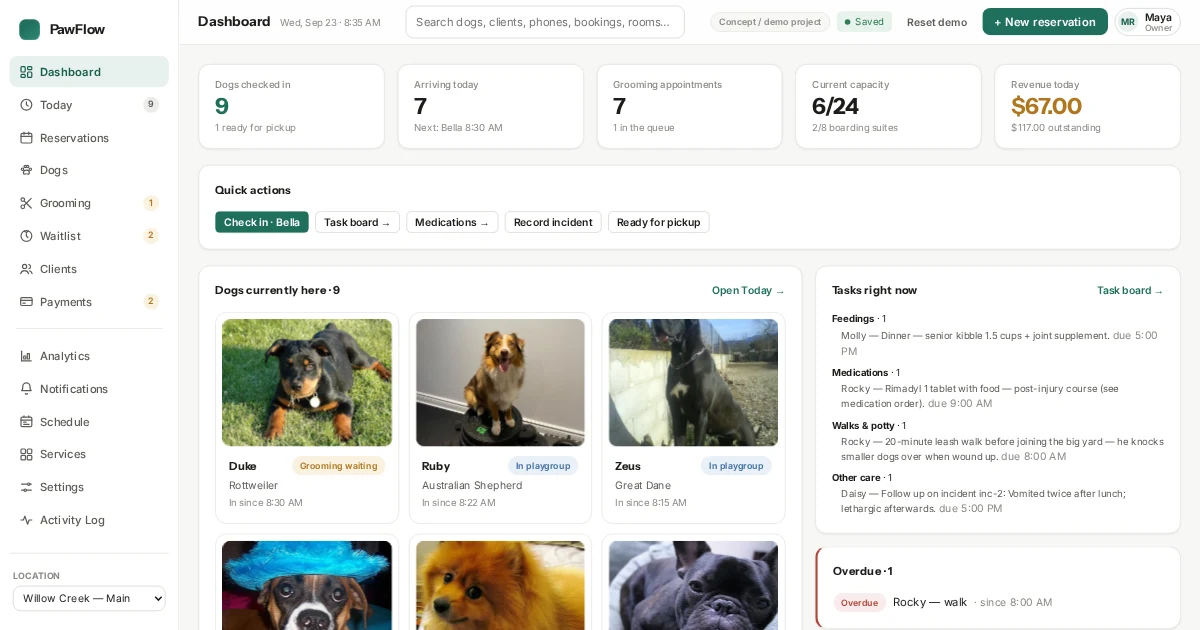
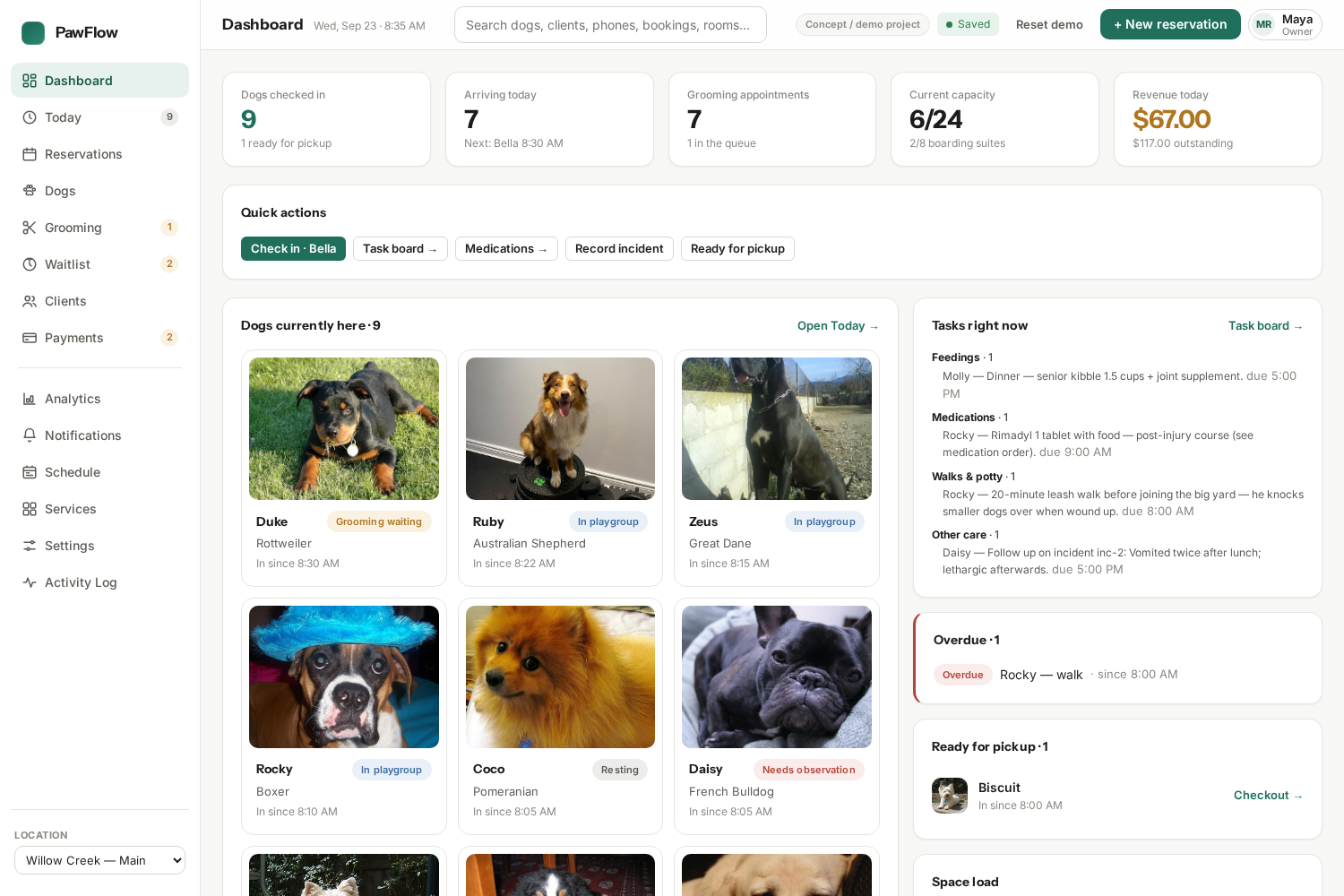
PawFlow operations dashboard with pet-care activity and a green action palette.
THE PROBLEMWHY IT EXISTS

Keep the whole day connected.

A pet-care business makes many small decisions around the same visit: is a vaccination current, is there capacity, has the dog arrived, which service is in progress, who can collect them and what is still owed? PawFlow puts those handoffs into one linked workflow so staff can act with the same context from intake to checkout.

VISUAL SYSTEMDESIGN DIRECTION

A calm control room for busy staff.

Clean white and warm grey surfaces leave room for dense operational data. Instrument Sans headings and compact Inter labels create a clear hierarchy between the day’s priorities, records and actions. Forest green marks primary actions, while distinct service and status colours help staff read bookings, warnings and care progress at a glance.

Surface #FFFFFF
Sunken #F7F7F5
Ink #1C1C1A
Action #1F6F5C
THE SOLUTION04 PILLARS
01

One client and pet record

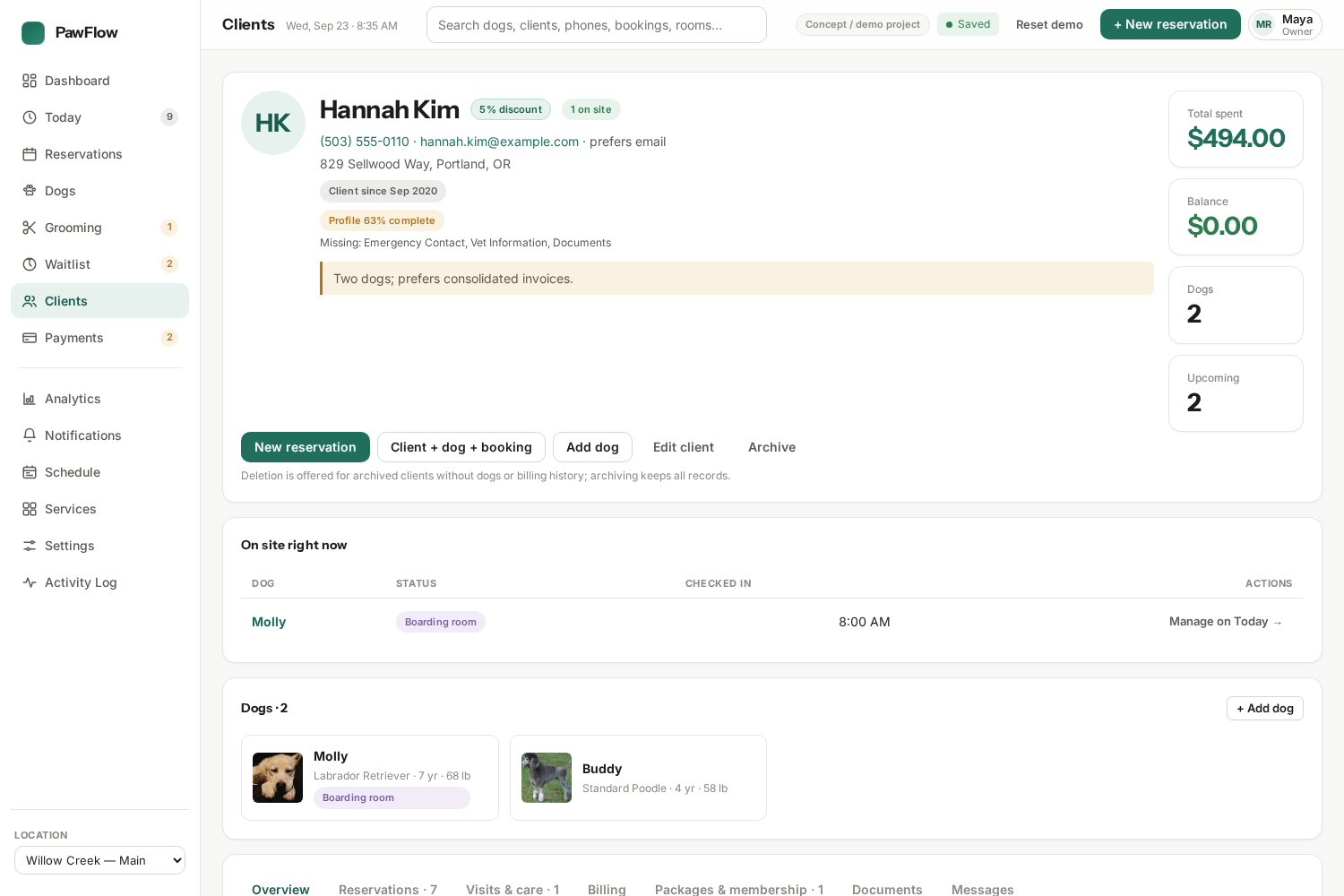
Onboarding links a client, dog, medical notes, vaccinations and an initial reservation. Profiles then bring together visits, documents, messages, invoices and care history, so staff do not have to reconstruct context from separate screens.

02

Bookings with operational checks

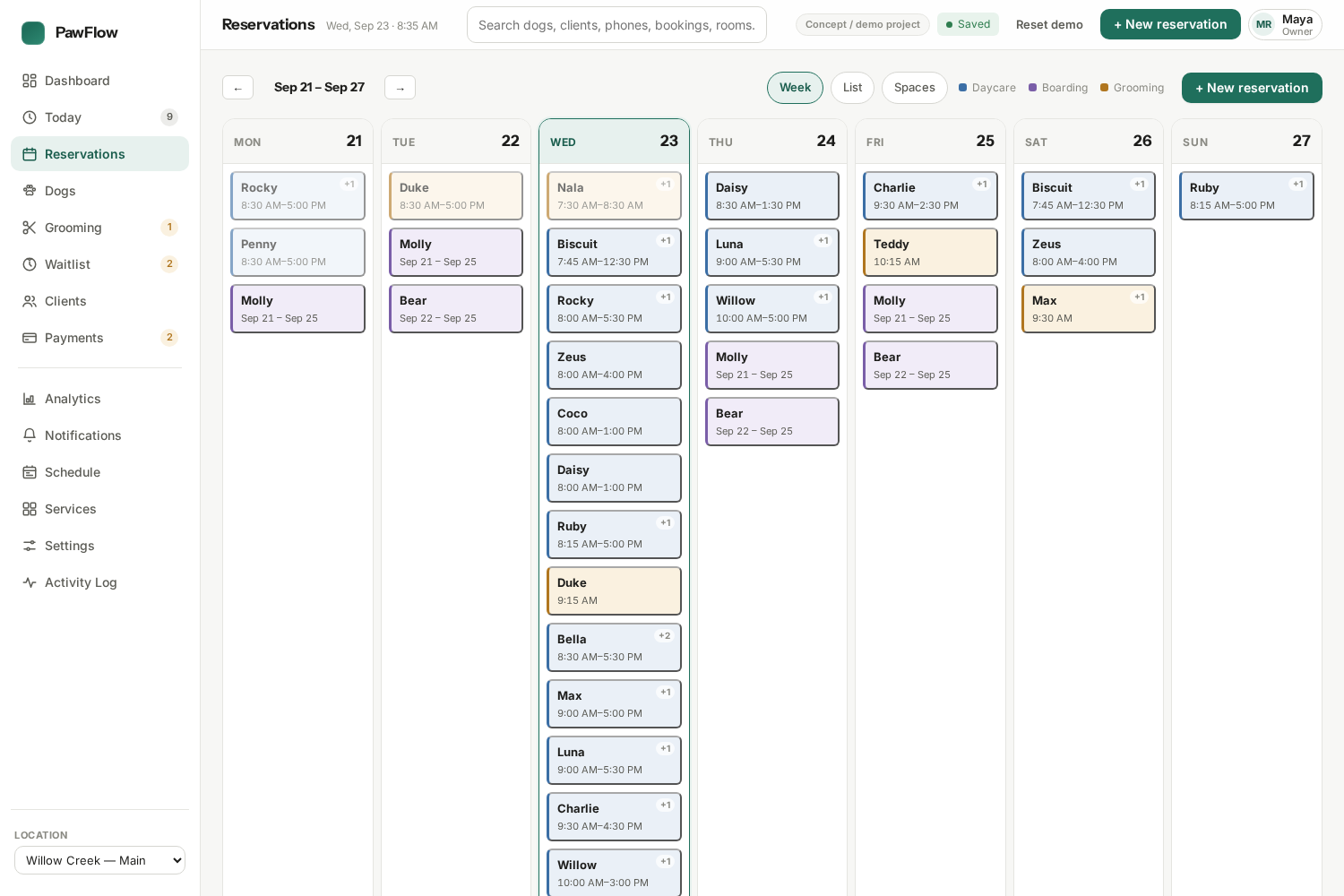
A week calendar and reservation wizard handle daycare, boarding and grooming. Capacity and required vaccinations are checked before a booking; full dates can lead to a waitlist, with checks repeated before promotion.

03

A live daily handoff

Dashboard and Today show arrivals, dogs on site and attention items. Check-in, grooming status, care notes, report cards and checkout update the connected browser database and related views.

04

Billing and staff permissions

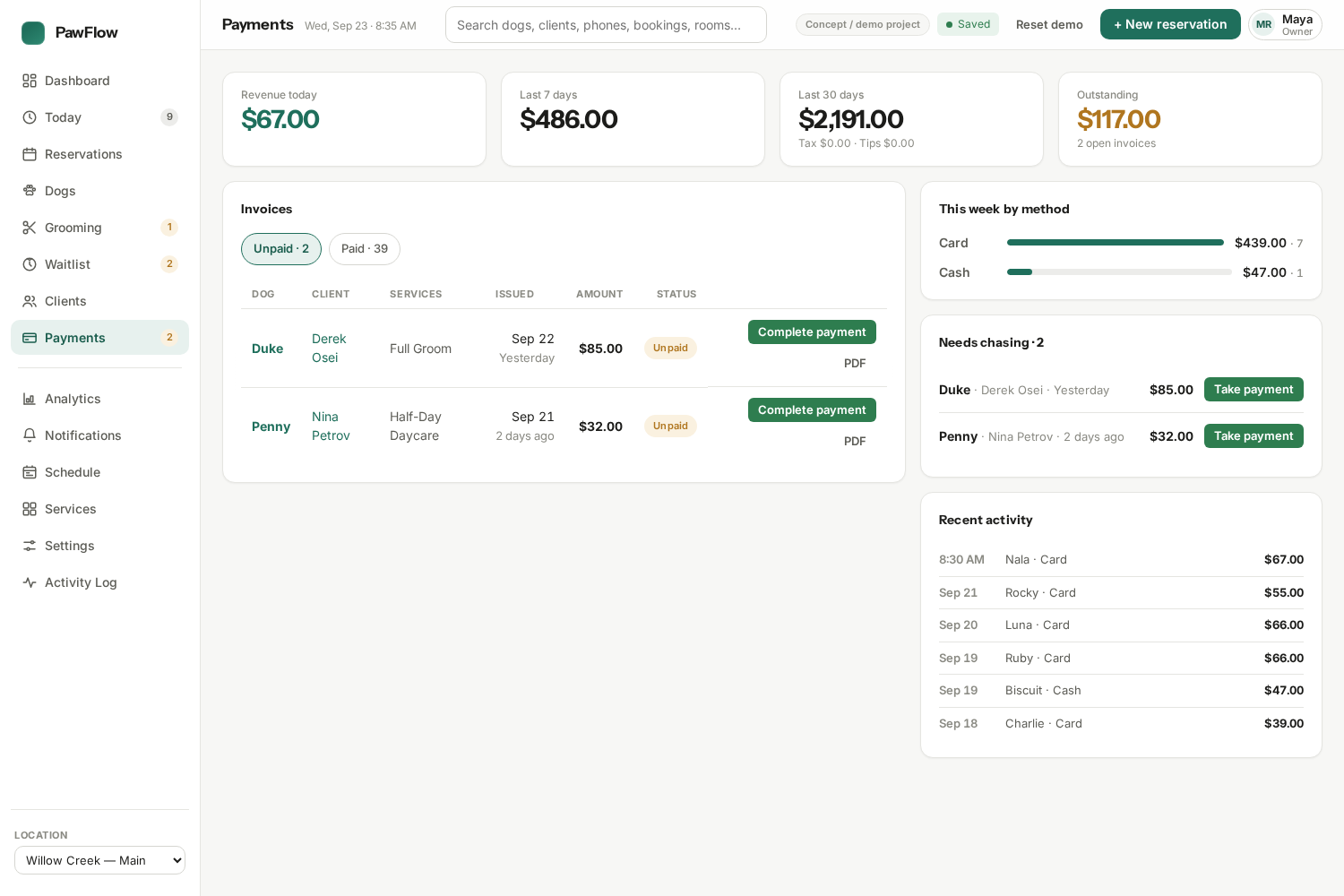
Checkout connects service charges, deposits, discounts, partial payments, tips and PDF invoices to client balances and analytics. PIN-selected owner, manager, groomer and handler roles expose and enforce different demo capabilities.
USER JOURNEYHOW IT WORKS

One visit, from intake to invoice.

A linked local SQLite database lets changes in one step appear throughout the workspace, including history and reporting.

  1. 01

    Register

    Add the client and dog, record care details and vaccinations, then make the first reservation.

  2. 02

    Plan

    Review capacity in the week view, handle a full date through the waitlist and prepare the team’s day.

  3. 03

    Care

    Check in the dog, move grooming or care status, record notes and create a report card.

  4. 04

    Close out

    Verify pickup, build an invoice, record a simulated payment and export a PDF.

  5. 05

    Review

    See the same visit in the client history, activity log and revenue or occupancy analytics.

IN PRACTICESCREENSHOTS
PawFlow dashboard showing arrivals, dogs on site, capacity and attention items.
The day’s priorities in one view
PawFlow reservations view with a week calendar and service-coded bookings.
Capacity-aware planning across services
PawFlow client record linking dogs, reservations, invoices and care history.
A connected client and pet record
PawFlow payments area with invoices and balances for the demo business.
Visit charges flow into billing and reporting
LIVE DEMOINTERACTIVE

Try it in your browser.

All records stay in this browser’s IndexedDB. Payments and messages are simulations; no real charge or SMS/email is sent. Open standalone ↗
UNDER THE HOODTECH

How it is built.

  • React + TypeScript + Vite
  • SQLite via sql.js WebAssembly, persisted in IndexedDB
  • Linked client, dog, booking, care and invoice records
  • Capacity and vaccination rules for reservations
  • Capability matrix for four demo staff roles
  • Local message outbox and generated PDF invoices
  • Derived dashboard and analytics views
HONEST LIMITSWHAT IT IS NOT

Where the demo stops.

PawFlow is a fictional, single-browser operations demo. Its SQLite database persists locally in IndexedDB and is not shared with other staff or devices. PIN role selection demonstrates permissions within the app; it is not production authentication or a secure server boundary. Payment actions record simulated transactions, and SMS/email appears only in the local outbox. There is no live processor, messaging provider or backend sync.

Open PawFlow Open standalone in a new tab ↗